Ninja AutoBarista Review: 13 Drinks, One Big Drip-Tray Problem
The AutoBarista removes espresso guesswork. It makes 13 drinks, from drip coffee and espresso to milk-based favorites and quick cold options, while Grind iQ adjusts grind size, weight, and dose for the chosen drink. That is the point.
Key Takeaways
- The AutoBarista handles important espresso adjustments automatically, including grind size and dose.
- Its menu covers drip coffee, espresso drinks with milk, and quick cold options.
- You can customize shot count, intensity, temperature, and milk foam.
- Automatic rinsing is convenient, but the drip tray fills quickly and the knock box needs regular attention.
- It suits people who want easy, varied coffee—not people who want to control every brewing variable.
This is a convenience-first machine, not a hands-on espresso workshop. If you enjoy weighing beans, adjusting a grinder, and checking a puck before you brew, the AutoBarista may feel like it has taken the interesting work away. If you want a cappuccino before work without studying grind charts, that missing work is a feature.
I’m not invested in the ceremony of espresso, and I don’t pretend every cup needs a lab notebook. In my use, the drinks were good, and the controls made the process approachable. The catch is mundane but important: spent coffee and rinse water still need somewhere to go, and this machine’s drip tray and knock box demand more frequent attention than its polished menu suggests.
What Is the Ninja AutoBarista?
The Ninja AutoBarista is a fully automatic coffee machine designed to make a range of drinks without asking the user to set every brewing variable. Its headline feature, Grind iQ, responds to the selected drink and user preferences by adjusting grind size, coffee weight, and dose. The machine also accounts for bean size, roast type, and freshness, according to its described operation. You choose the drink; the machine handles much of the technical setup.
That distinction matters. Espresso depends on a set of connected variables, including how finely coffee is ground and how the water moves through it. The National Coffee Association’s espresso explainer gives useful background on what makes espresso different from other coffee. But knowing those details is not a prerequisite for using this machine. You do not need to pick a grind setting, set a tamping force, or calculate an extraction time each time you want a drink.
The AutoBarista divides its work across two sides. One side makes espresso or drip coffee. The other has an automatic milk frother and stainless-steel pitcher, with settings for temperature and foam thickness. There is also a setting for plant-based milk. The machine lets you select the number of shots, shot intensity, and temperature; Grind iQ then adjusts its brewing choices to suit those selections.
The menu reaches beyond hot espresso drinks. It can make a quick cold brew or cold-pressed espresso, but the cold setting needs ice in the cup if you want a genuinely cold drink. Skip the ice and the result can be lukewarm. That is a practical difference, not a minor footnote: a quick cold coffee option should not be confused with every other method sold under the broad label of cold brew. The National Coffee Association’s coffee brewing guide is a useful reminder that brewing method and preparation affect what ends up in the cup.
Frankly, the AutoBarista is not built for someone who wants to inspect every espresso puck and make tiny manual changes. It trades that control for a shorter path from bean to drink. That is neither a virtue nor a flaw on its own. It depends on whether you want to practice coffee technique or simply drink coffee you like.
Core Benefits and Why They Matter
Less technique, fewer decisions. Grind iQ is the reason the AutoBarista is approachable. You do not have to arrive knowing which grind size, dose, or extraction timing suits a particular drink. The machine adjusts its process when you change shot count, intensity, or temperature. A coffee hobbyist may call that bowling with the bumpers up. A busy person may call it a Tuesday morning.
That convenience does not make every cup identical, nor does it promise that the machine will know your taste better than you do. It removes several decisions, not your own judgment. If a drink tastes too mild, you can adjust intensity or shot count; if you want a different milk texture, the frother settings give you a place to start. The important point is that the adjustments are accessible without a separate grinder and a notebook full of experiments.
A broad drink menu from one appliance. The machine can prepare drip coffee, espresso, and espresso-and-milk drinks such as cappuccinos and flat whites. It also offers quick cold options. That range is useful for a household with different habits, or for someone whose preference changes between a morning drip coffee and an afternoon milk drink. Thirteen choices sound impressive, but the useful question is whether the drinks you actually make are on the menu.
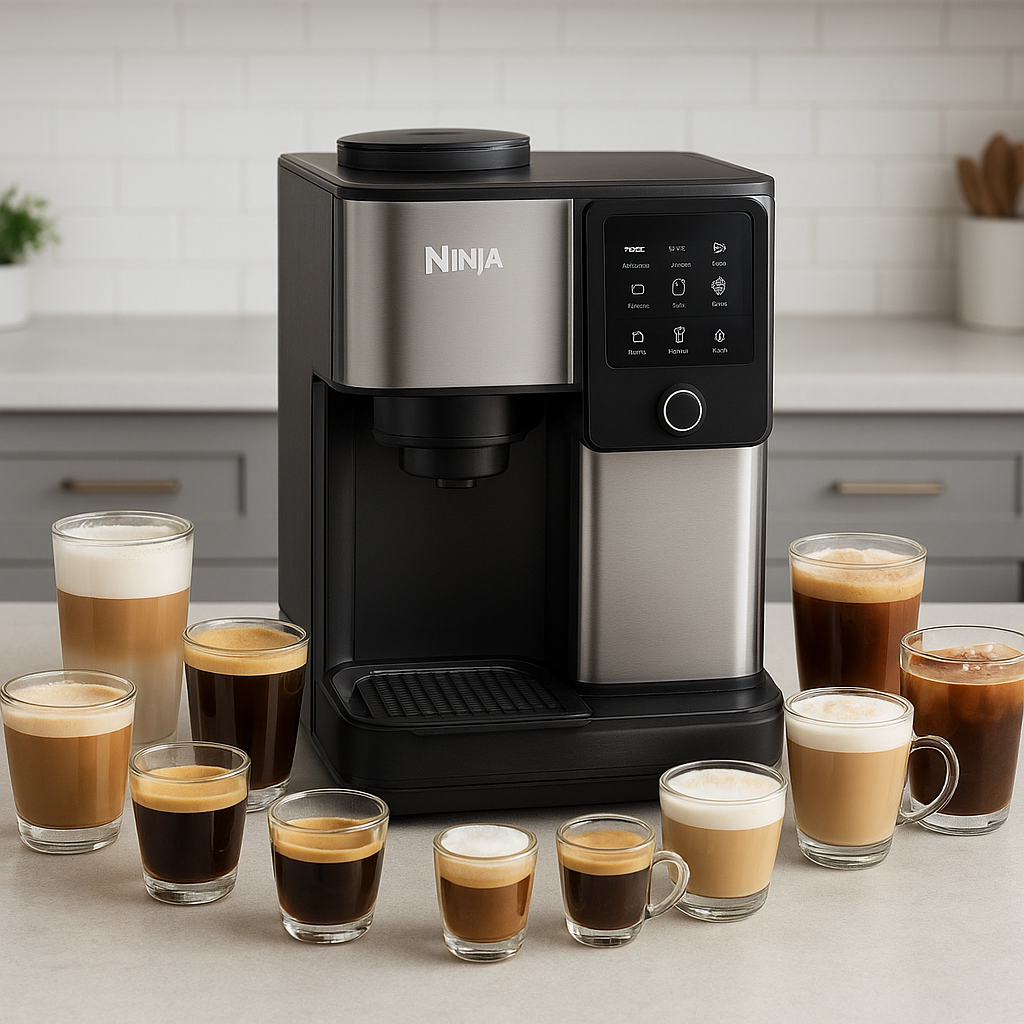
Automatic milk frothing. The included stainless-steel pitcher and automatic frother handle the work of heating and texturing milk. You can select a temperature and foam heaviness, and there is a plant-based milk setting. That makes it easier to get a result suited to your drink without hand-steaming milk and guessing at the texture. Here’s the kicker: foam controls matter only if you use milk drinks often. If you mainly drink black coffee, this feature may add complexity without adding much value.
Rinsing between drinks. The AutoBarista rinses itself before and after making a drink. That is welcome if you do not use your machine every day; a rinse can help keep the coffee path fresh without relying on you to remember to run water through it manually. It is not a replacement for cleaning all removable parts, though. Coffee residue and rinse water still collect, and the machine cannot empty its own tray.
There is a sensible human point here. Good technology should make useful skills accessible, not turn skill into a gatekeeping test. A machine that lets more people prepare a decent drink at home can be a good use of ingenuity—provided the convenience does not hide the care and maintenance the device still needs.
Step-by-Step: Getting Good Results from the AutoBarista
- Decide whether automation is what you want. Start with the actual trade-off. The machine takes over grind size, weight, and dose adjustments, so you spend less time setting up a shot. If your favorite part of espresso is controlling those variables yourself, this is the wrong sort of machine. I would not buy it expecting to turn every drink into a manual experiment; that is not the promise.
- Choose the drink before worrying about espresso technique. Pick from the available drinks—such as drip coffee, espresso, cappuccino, or flat white—and let the machine set up its process. You do not need to solve grind size, tamping pressure, or extraction time first. That is precisely what Grind iQ is there to handle. If you are curious about how brewing methods differ, read an independent overview such as the National Coffee Association’s guide to brewing coffee, but treat that as background, not homework.
- Use the controls you can actually taste. Adjust shot count, intensity, or temperature to suit your preference. Change one setting at a time when you are learning the machine; if you change everything at once, it becomes harder to tell which adjustment helped. This is basic troubleshooting, not a secret barista ritual. Let the automated system handle the variables it controls, and use the available settings to steer the drink toward what you enjoy.
- Set the milk texture for the drink. Use the automatic frother and stainless-steel pitcher for milk-based drinks. Choose a temperature and foam thickness that fit the cup you want, and use the plant-based milk setting when appropriate. A cappuccino and a flat white do not ask for the same foam feel, so these controls are more useful than a single generic froth button. Do not assume a setting will make every milk behave identically; start with the options the machine provides and judge the result in the cup.
- Treat cold drinks literally: add ice. The AutoBarista can make a quick cold brew or cold-pressed espresso. For the cold result described, put ice in the cup. Without ice, the drink may be lukewarm rather than properly chilled. That does not make the feature useless, but it does mean you should not expect the machine to cool the coffee by itself. If you want a dedicated cold-brew setup instead, compare the process and cost with the OXO Cold Brew Coffee Maker.
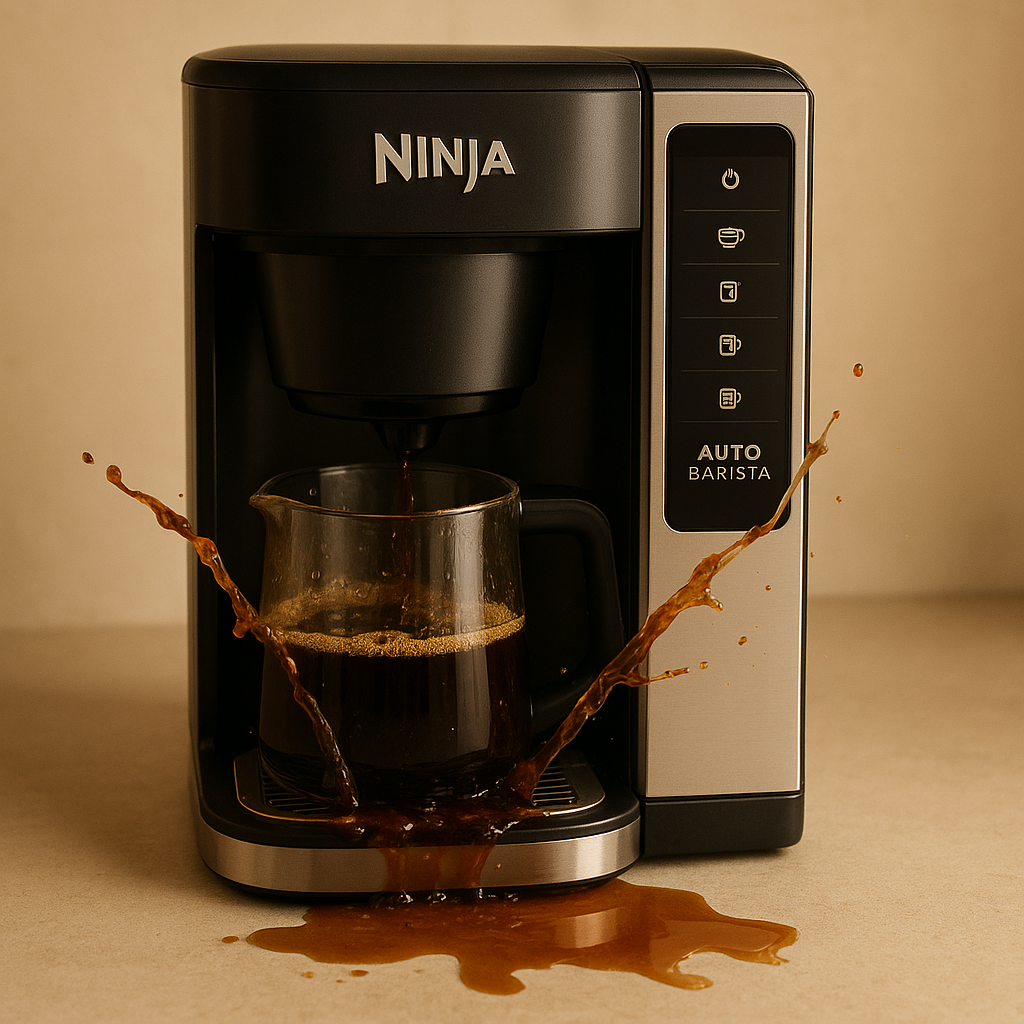
- Let the rinse cycle run, then check the tray. The machine rinses before and after making drinks, which helps reduce the little manual tasks that can be easy to forget. But rinse water drains into the drip tray. Pull it out and empty it before it reaches the point where water spills onto the floor. In a home where more than one person uses the machine, checking the tray every day is a sensible habit. The tray is easy to remove; the floor is less convenient to clean.
- Empty the knock box before old pucks linger. The knock box catches spent espresso pucks when you pull out the drip tray. It is easy to overlook because the machine still makes drinks while the box fills. Leave wet pucks sitting for a few days, though, and mold can appear. Emptying the box regularly is not glamorous, but neither is scraping blue mold out of a coffee accessory. Follow the machine’s care instructions for cleaning the removable parts.
- Judge the drink, not your ability to imitate a barista. Start with the machine’s automatic settings, then adjust only the controls that affect your preferences. If the result is good, stop fiddling. The goal is a drink you want to make again—not proof that you have memorized every espresso variable. Most people do not need to know the exact extraction time if the machine handles it and the cup tastes right to them.
Comparison: Ninja AutoBarista vs. OXO Cold Brew Coffee Maker
The OXO Cold Brew Coffee Maker is not a direct substitute for a machine that makes espresso, drip coffee, and milk drinks. It is the most relevant alternative for someone who mainly wants cold coffee and would rather spend much less. The AutoBarista covers more drink types; the OXO is the simpler choice if cold brew is the main event. Comparing them is useful, as long as nobody pretends they do the same job.
| Feature | Ninja AutoBarista | OXO Cold Brew Coffee Maker |
|---|
| Main role | Automatic machine for espresso, drip coffee, milk drinks, and quick cold options | Dedicated cold-brew alternative |
| Drink range | 13 drink options, including cappuccinos and flat whites | Focused on cold brew, not a 13-drink menu |
| Brewing adjustments | Grind iQ adjusts grind size, weight, and dose; users can change shot count, intensity, and temperature | The provided comparison does not include espresso controls or a milk frother |
| Milk drinks | Automatic frother, stainless-steel pitcher, adjustable temperature and foam, plus plant-based milk setting | No milk-frothing feature is described here |
| Cold coffee | Quick cold brew or cold-pressed espresso; add ice for a cold drink | A cold-brew-focused option |
| Cleanup concerns | Rinse water fills the drip tray; wet espresso pucks can mold if left for days | No comparable drip-tray or espresso knock-box issue is described here |
| Relative price | The more expensive machine | About six percent of the AutoBarista’s price, according to the comparison described |
Let’s be real: the AutoBarista is the more capable appliance, but capability is not automatically value. If you routinely use its espresso, drip, and milk options, its range may justify the extra cost for you. If you mostly drink cold coffee, paying for automatic espresso adjustments and a milk frother you rarely use is a poor match. A lower-cost dedicated device may be the more rational buy.
The OXO’s manufacturer page identifies it as a cold-brew coffee maker, which is the relevant distinction here—not evidence that it can reproduce the AutoBarista’s menu. The table sticks to the information available: the AutoBarista offers many drink styles and automated adjustments, while the OXO is the simpler, far cheaper cold-coffee alternative. The Specialty Coffee Association’s coffee standards resources offer broader context on coffee preparation, but they do not change the practical buying question: what do you actually drink?
Common Mistakes to Avoid
Buying automation while secretly wanting manual control. This is the biggest mismatch. If you love trying different grind settings or adjusting each shot, Grind iQ may feel like a barrier rather than a helper. The machine is designed to remove some of that work. Do not buy it because you think automation sounds impressive, then resent it for automating the process.
Assuming 13 options mean 13 drinks you will use. A long menu can make a product look more versatile than your routine requires. Count the drinks you actually order or make at home. If the answer is drip coffee and the occasional cappuccino, focus on how well those fit your needs, not how many options appear on the control panel. A menu is useful only when it helps you make something you want.
Expecting the cold setting to chill the drink. The cold options need ice if you want cold coffee; without it, the result can be lukewarm. That is easy to prevent, but easy to forget when you are rushing. Keep ice ready before starting the drink rather than discovering the temperature after the machine has finished.
Treating an automatic rinse as a full cleaning routine. The rinse cycle is helpful, but the used water gathers in the drip tray, and coffee pucks collect in the knock box. Those parts still need attention. The tray can fill after only a few drinks, so waiting for an obvious warning or for a convenient spare moment is a good way to end up cleaning the floor. Check it often, especially when several people use the machine.
Leaving wet pucks in the knock box for days. The box is out of sight when the tray is in place, which makes it easy to forget. The consequence is less subtle: old pucks can develop blue mold. Empty the box regularly and clean it as directed. If you share the machine, make the cleanup part of the last drink of the day rather than assuming the next person will handle it.
Mistaking simple operation for no maintenance. The machine can make drink preparation easier; it cannot make residue disappear. A sensible routine includes checking the drip tray, emptying the knock box, and following the manufacturer’s cleaning instructions. I would rather have a machine that makes a good drink and needs a small daily chore than one that hides a mess until it becomes a bigger chore. But the chore should factor into the buying decision.
Frequently Asked Questions
Do I need to know how to make espresso to use the Ninja AutoBarista?
No. The AutoBarista is designed to handle key adjustments, including grind size, weight, and dose, through Grind iQ. You select a drink and can adjust shot count, intensity, and temperature, but you do not have to set grind size, tamping pressure, water temperature, or extraction timing manually for every shot. That makes it approachable for people who like coffee but do not want to study espresso technique. It may frustrate users who specifically want that hands-on control.
Can the AutoBarista make cold brew?
It offers a quick cold brew or cold-pressed espresso option. Add ice to the cup if you want the finished drink to be cold; without ice, it can be lukewarm. The available details do not establish that this is the same process as every traditional cold-brew method, so treat it as the machine’s quick cold-coffee option rather than assuming it behaves like a dedicated cold-brew setup.
Does the AutoBarista froth plant-based milk?
Yes. It includes an automatic milk frother, a stainless-steel pitcher, controls for temperature and foam heaviness, and a setting for plant-based milk. The best choice depends on the drink and your preference. Start with the available setting, then judge the texture in the cup rather than assuming one setting will suit every milk and recipe equally well.
What is the AutoBarista’s main drawback?
The maintenance around the drip tray and knock box is the clearest drawback described here. The tray can fill after only a few drinks, making frequent emptying necessary in a shared home. The knock box collects used espresso pucks, and leaving them for a few days can lead to blue mold. The machine rinses itself, but users still have to empty and clean the parts that catch water and coffee.
The Ninja AutoBarista makes a convincing case for convenience. It prepares a broad range of drinks, takes several technical decisions off your hands, and froths milk without asking you to build a barista station around it. For someone who values choice but does not want to spend time dialing in espresso, those are meaningful advantages. The drinks were good in my experience, and the machine’s controls make it easy to change the things a casual coffee drinker is likely to care about.
But convenience has a price beyond the purchase cost. The drip tray needs frequent emptying, and the knock box is a small but unpleasant maintenance trap if wet pucks are left sitting. The self-rinse feature helps; it does not absolve anyone of cleanup. That is the dealbreaker for some households, especially if they hoped a fully automatic machine would also be a fully hands-off one.
If you want espresso technique as a hobby, keep your grinder and kettle. If you want a broad home coffee menu with most of the fiddly setup handled, the AutoBarista makes sense—provided you are willing to empty the tray and knock box as part of the routine. And if cold coffee is all you need, the OXO costs a fraction of the price. Buy the machine that matches your habits, not the one with the longest menu.